 OpenWiring
#16. Schematic languages
Schematics are drawn in Italian and can also be printed in English or German, or in two languages together. The language of the program interface is a separate setting (chapter 1).
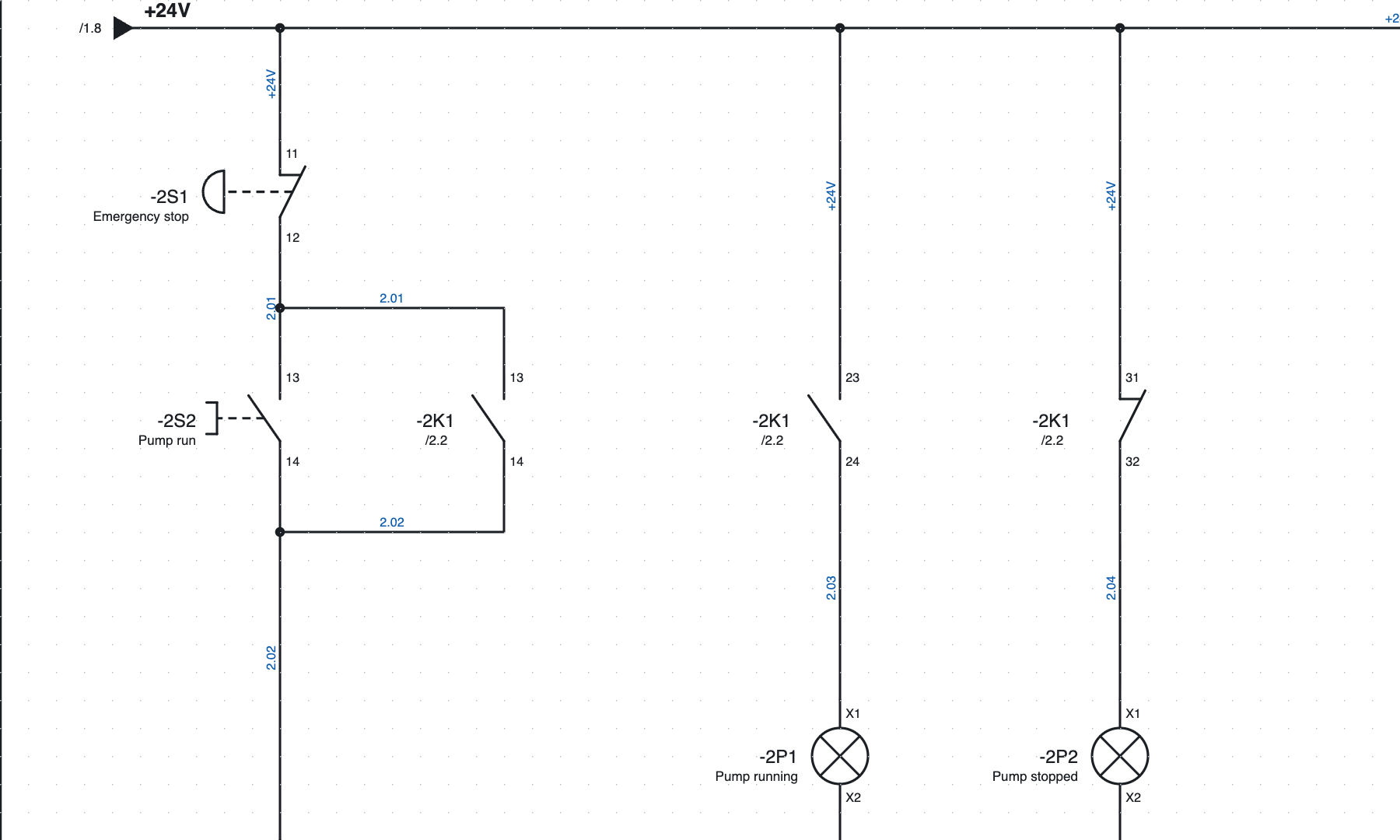
Page 2 in English with the Italian below: «Emergency stop / Arresto di emergenza».
#The project dictionary
The Translations tab of the Lists view (or Project ▸ Translations…) lists all the translatable texts of the project: page titles, free texts, device descriptions, locations, PLC comments, title block fields. For each one there are the English translation, the German one and where it appears.
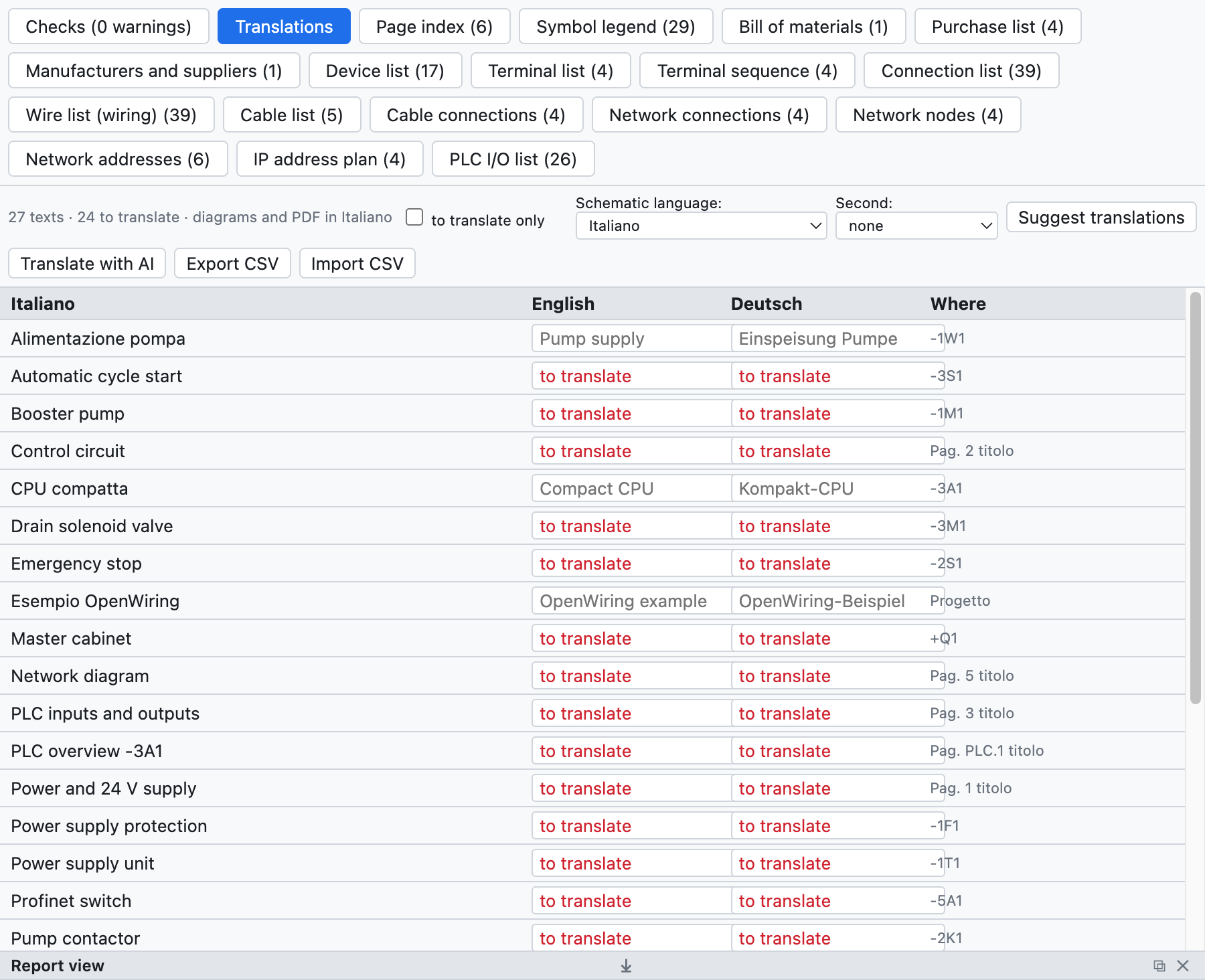
The dictionary of the example project.
- Type the translation in the cell; to translate only shows the texts that lack one.
- The program already contains the fixed texts (title block, list titles and columns) and about 250 common electrical terms.
#Translating automatically
| Command | How it translates |
|---|---|
| Suggest translations | whole sentence if it is in the included dictionary, otherwise word by word («Lampada guasto» → «Fault lamp») |
| Translate with AI | with the chosen AI assistant (Claude, ChatGPT, Gemini), with the industry terminology (chapter 17) |
Automatic translations are highlighted as to be checked: they are confirmed with ✓ or by editing them.
#Choosing the language
- Schematic language: View ▸ Schematic language, the project properties (Languages) or the Translations tab. It changes schematics, title block, cover, list pages, PLC overviews and terminal strip diagrams.
- Second language: writes the texts in two languages («Contattore pompa / Pump contactor»).
- The PDF and printing can be done in another language without changing the project one (Language choice in the export window).
#With a translator
Export CSV saves the dictionary as a table Italiano;English;Deutsch: the translator completes it in Excel
and Import CSV reads it back.
Edit this page on GitHub · OpenWiring 2.0.6 · GPL-3.0