 OpenWiring
#9. Cables and connectors
#Cables
A cable is defined with a definition line that crosses the wires.
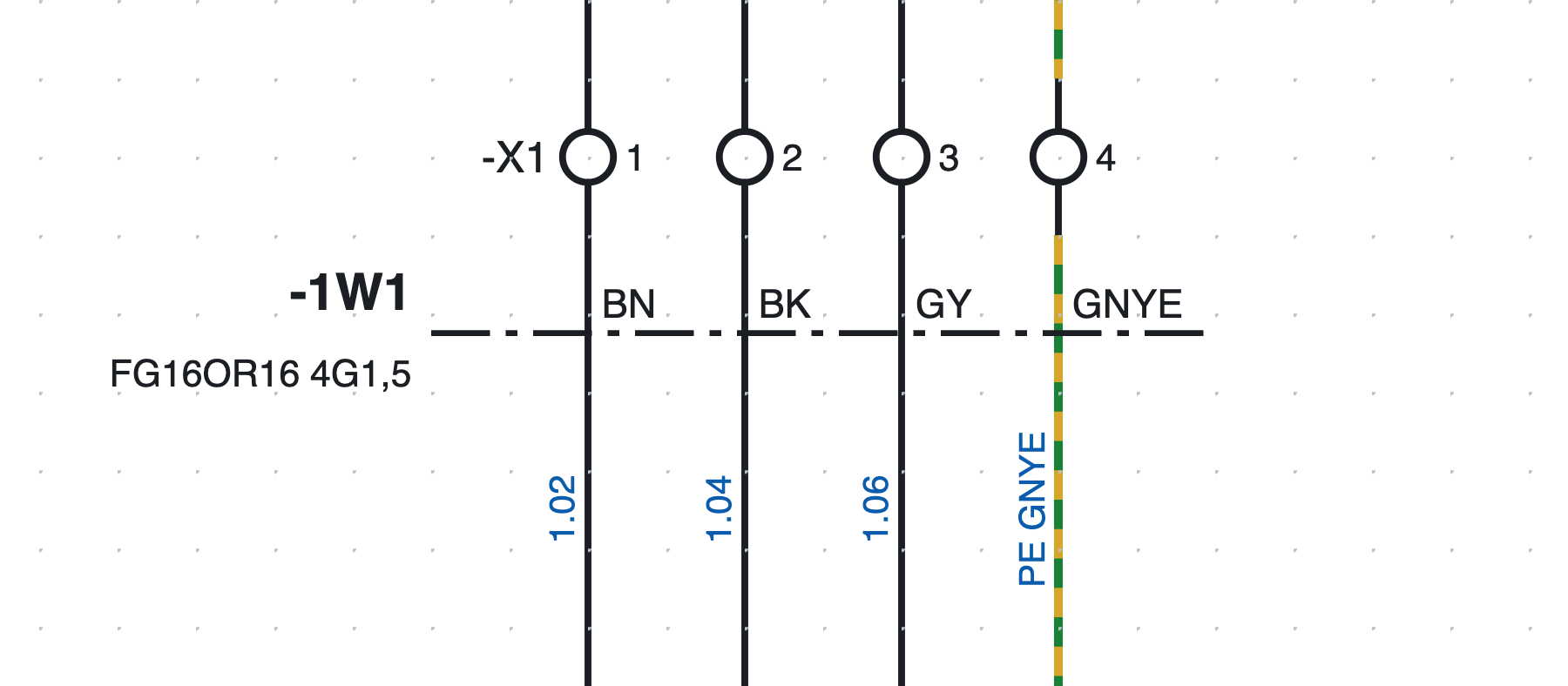
Cable -1W1 FG16OR16 4G1,5 on page 1: the dash-dot line crosses the four wires towards the motor, each
with the colour of its conductor.
- Press Cable in the toolbar (or Insert ▸ Cable definition line).
- Click on one side of the wires and then on the other side.
- The crossed wires become conductors of cable
-1W1(tag according to the project template).
#Conductors
The program proposes the conductors according to the number of wires:
- up to 5 wires, coloured:
BN BK GY BU GNYE; - beyond that, numbered with the green-yellow;
- the PE wire (or green-yellow) takes the green-yellow conductor.
In the cable properties you change cross-section (5G1,5, 7x0,75…), type (FG16OR16),
length in metres, ends (from, to), shield, description and part; in the line properties you
choose the conductor of each wire.
Several lines, even on different pages, can refer to the same cable: a conductor crossed twice counts only once.
#Cable lists
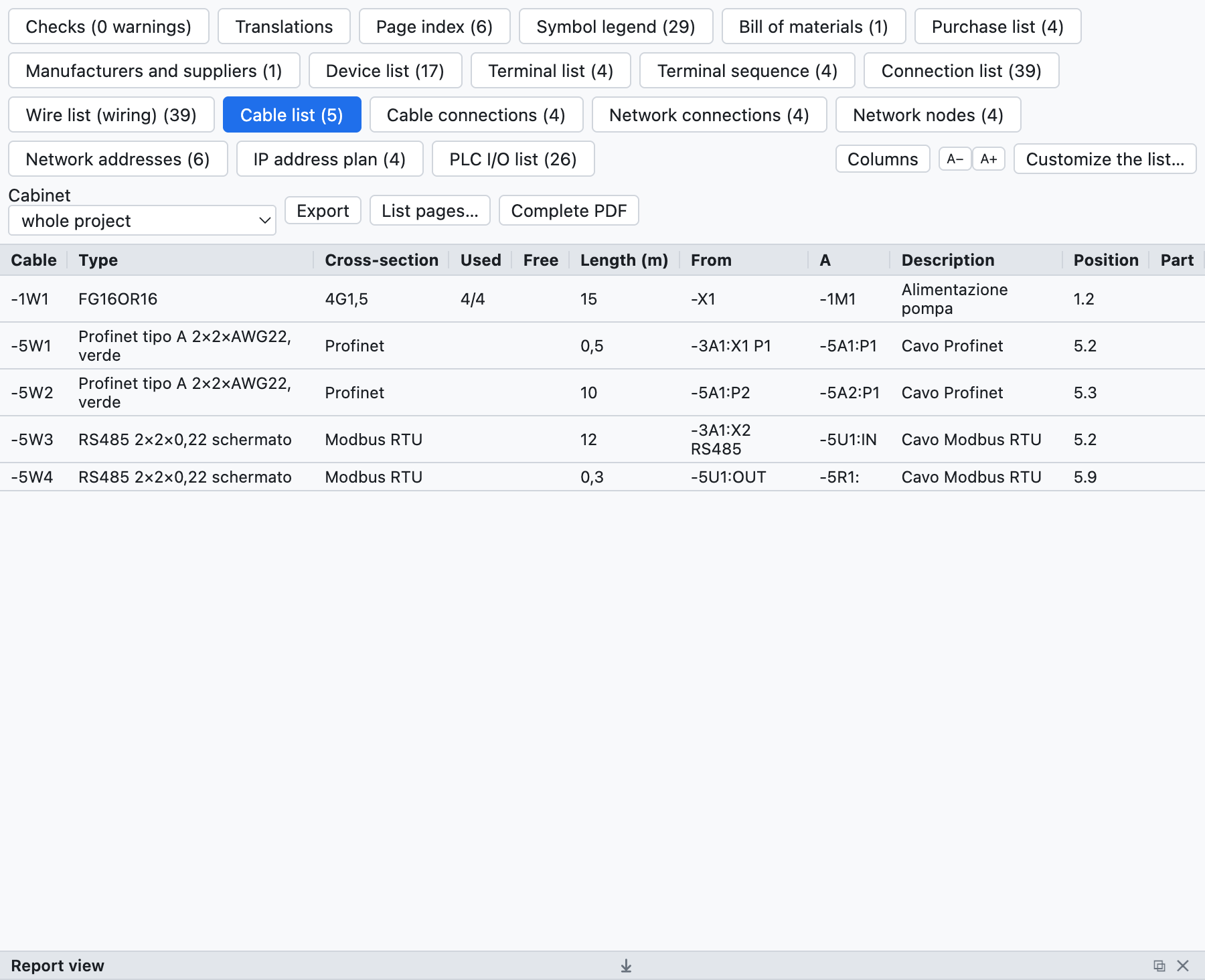
The cable list of the example project: the motor cable and the network cables.
- Cable list: one cable per row with type, cross-section, used and free conductors, length, ends, position, part.
- Cable connections: one conductor per row with the two ends and the wire number.
- The connection list has the Cable column; in the bill of materials the quantity of a cable with a part is its length in metres; in the purchase list cables without a part are summed by type.
#Checks
The check reports exhausted conductors (more wires than conductors) or duplicate ones, cables without a definition line and duplicate cable tags.
#Connectors and plugs
For the plugs and sockets of multi-pole connectors use the symbols of the Terminals and connections category:
| Symbol | Use |
|---|---|
| Socket pin (female) | the socket side |
| Plug pin (male) | the plug side |
| Socket + plug pin | the mated pair in a single symbol |
- The tag is like that of terminals:
-X10:3is pin 3 of connector-X10; pins are numbered by themselves. - The total number of pins is written in the connector properties or read from the part.
- The mating part (for example the free plug for a panel socket) is given with its part and goes into the bill of materials.
- The connector list lists every pin with its side, wires, position and the pins used.
- In the Connectors tab the pin table has the Description and Notes columns, written directly in the cell. Description, technical data and notes are specific to each pin (in the pin's Properties they apply only to that pin); manufacturer, type, part and the other data apply to the whole connector. The connector notes are written in the connector data, to the right of the table.
- The check reports pins beyond the number of the connector.
Edit this page on GitHub · OpenWiring 2.0.6 · GPL-3.0